- Roxanne's Newsletter: Influence with Life
- Posts
- A 5-Step Guide to Automate Applications and Land More Interviews
A 5-Step Guide to Automate Applications and Land More Interviews

Roxanne Chen
December 06, 2025
The modern job search is a numbers game, but it's also a game of strategy. With nearly 99% of Fortune 500 companies using Applicant Tracking Systems (ATS) to filter resumes, simply submitting an application is no longer enough 1. To succeed, you need a new playbook—one that combines the efficiency of AI-powered automation with the critical impact of genuine human connection.
This article outlines a five-step workflow designed to navigate the complexities of today's job market. We will walk through how to optimize your resume to beat the bots, automate the application process to save hundreds of hours, and then strategically connect with the key decision-makers who can turn your application into an interview.
Step 1: Beat ATS with Jobscan
Before you apply for any job, your first hurdle is the Applicant Tracking System. This software scans your resume for keywords, skills, and formatting, scoring its relevance to the job description. If your score is too low, your application may never be seen by a human. This is where Jobscan comes in.
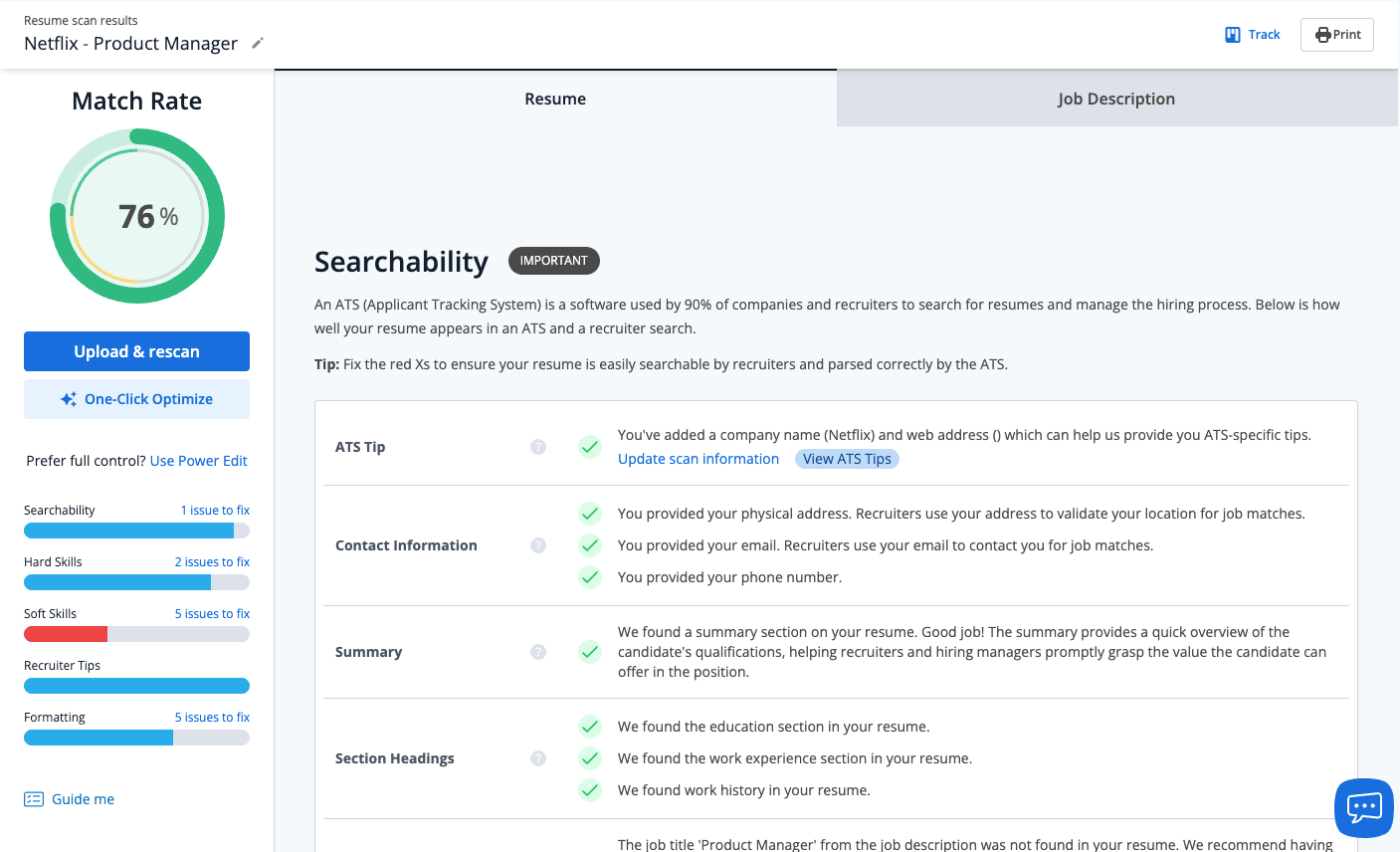
Jobscan is a powerful tool that analyzes your resume against a specific job description, providing an instant match score and detailed feedback. It helps you tailor your resume to ensure it contains the precise keywords and skills the ATS is programmed to find.
The Workflow:
1.Find a Job Opening: Locate a job you are interested in on any platform (like LinkedIn, Indeed, or a company careers page).
2.Copy the Job Description: Select and copy the entire text of the job description.
3.Analyze in Jobscan: Go to Jobscan, paste the job description into one field and your current resume into another. The tool will generate a comprehensive report.
4.Optimize Your Resume: The report will highlight missing keywords, compare your skills to those required, and check for ATS-friendly formatting. Edit your resume based on these suggestions until you achieve a high match score (aim for 80% or higher).
By optimizing your resume with Jobscan, you ensure your application has the best possible chance of passing the initial automated screening and landing in the hands of a recruiter.
Step 2: Automate Applications with Correlate AI
Once you have a highly optimized, master resume, the next challenge is the sheer volume and repetitive nature of filling out applications. Manually applying to dozens or hundreds of jobs is a significant time drain. Correlate AI is a tool designed to solve this problem by automating the entire application process.
Correlate AI acts as an AI agent that sources relevant job openings, customizes your resume for each role, and auto-fills applications across major job platforms with 99% accuracy. This allows you to scale your job search efforts without sacrificing quality.
The Workflow:
1.Upload Your Optimized Resume: Take the ATS-friendly resume you perfected using Jobscan and upload it to your Correlate AI profile. You can create multiple resume versions for different types of roles.
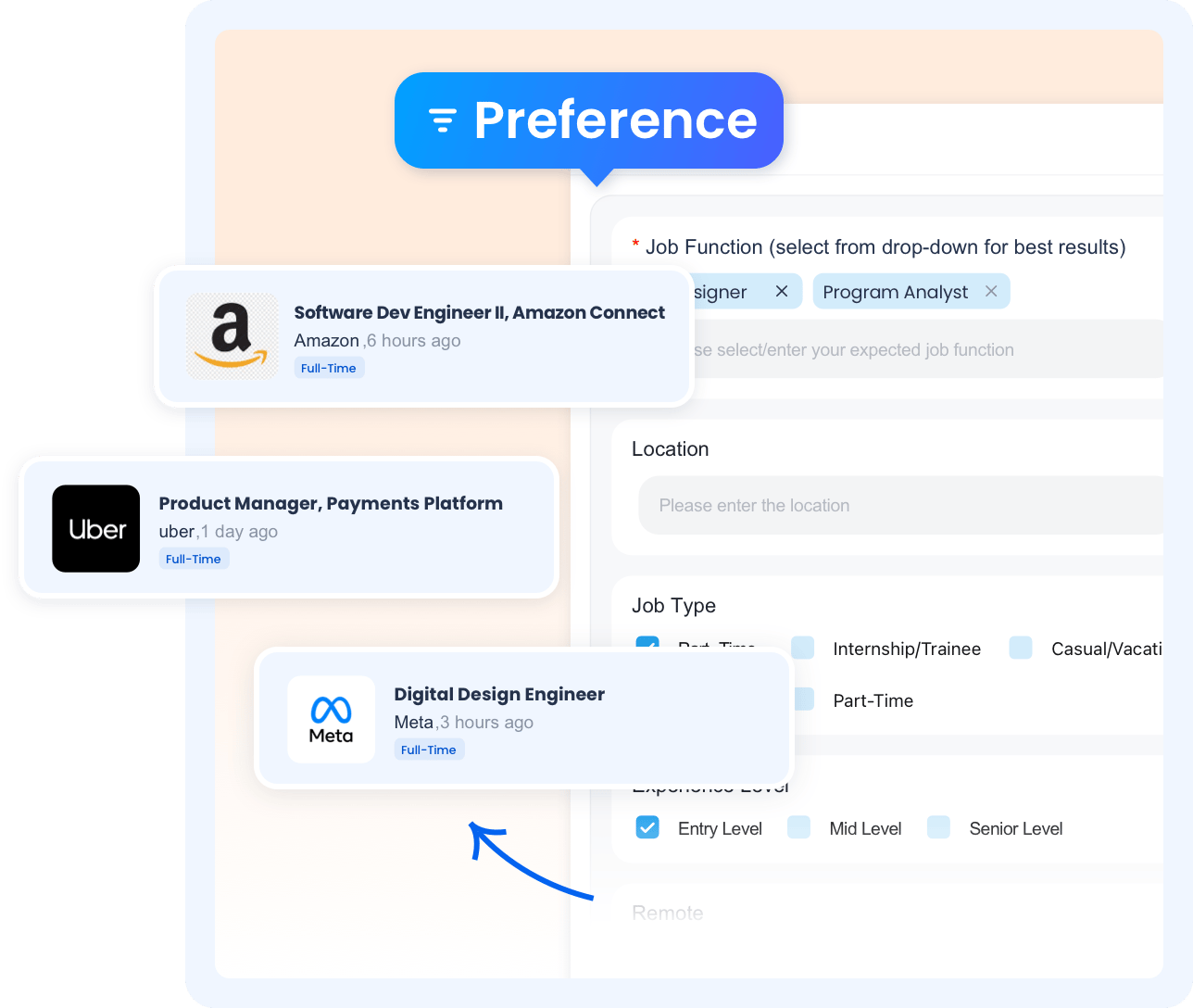
2.Set Your Preferences: Define your job search criteria, including job titles, industries, and locations.
3.Let AI Do the Work: Correlate AI will begin sourcing jobs that match your profile and automatically filling out the applications. It handles everything from creating accounts to navigating multi-page forms.
4.Review and Submit: Crucially, the tool will not submit any application without your final approval. You get a chance to review every auto-filled application, make any final tweaks, and then give the green light for submission.
Using a tool like Correlate AI can reduce the time spent per application from 20 minutes to just one, allowing you to apply for more relevant jobs and focus your energy on the next critical step: networking.
Step 3: Find the Hiring Manager
While your applications are being submitted, it's time to be proactive. Making a direct connection with the hiring manager or recruiter is the single most effective way to stand out. This is where you transition from a passive applicant to an active candidate.
Your goal is to identify the Hiring Manager (the person who leads the team and will be your future boss) or the Recruiter (the person in charge of finding candidates for the role).
Method | Description |
LinkedIn People Search | Use the search bar with the company name and titles like "Talent Acquisition," "Recruiter," or the department head (e.g., "Director of Engineering"). |
LinkedIn Job Postings | The job posting itself may list the person who posted it under a "Meet the hiring team" section. |
Company "People" Tab | On a company's LinkedIn page, the "People" tab lets you browse all employees. You can search for relevant titles here. |
Step 4: Craft the Perfect Cold Email
With your target contact identified, the final step is to send a concise, professional, and impactful outreach email. This is your chance to make a direct impression and provide context to your application.
Key Elements of a Successful Cold Email:
•A Clear Subject Line:
The subject line should be direct and professional. Avoid generic phrases. Good examples include Following up on the [Job Title] Application or Application for [Job Title] - [Your Name].
•A Brief Introduction:
State who you are and the specific role you applied for.
•The "Why You":
Briefly explain why you are a strong fit for the role. Connect your top 1-2 skills or a key achievement directly to a requirement in the job description. This shows you've done your research.
•The "Why Them":
Mention something specific about the company that excites you—a recent project, a company value, or a product you admire. This demonstrates genuine interest.
•A Clear Call to Action:
End your email with a soft call to action. Instead of demanding an interview, ask if they would be open to a brief chat or if there is any additional information you can provide
Step 5: Send Your Message (Templates)
Use the following templates as a starting point. Always personalize them to fit the specific role and your unique background.
Subject: Following up on the [Job Title] Application
Dear [Hiring Manager's Name],I hope this email finds you well. I am writing to confirm my strong interest in the [Job Title] position at [Company Name], for which I recently applied through [Platform, company website]. I was particularly drawn to this opportunity because of [mention something specific about the company's mission, values, or a recent project]. My experience in [mention a key skill, e.g., "leading cross-functional product launches"] aligns directly with the requirements you've outlined.
In my previous role at [Previous Company], I was responsible for [mention a key responsibility] and successfully [mention a quantifiable achievement, e.g., "increased market share by 10% in six months"]. I am confident I can bring a similar level of dedication and results to your team.I have attached my resume for your convenience and would welcome the opportunity to discuss how my background could benefit [Company Name].Thank you for your time and consideration.
Sincerely, [Your Name]
[Your Phone Number]
[Link to your LinkedIn profile]
By integrating powerful tools like Jobscan and Correlate AI into your job search, you can conquer the most time-consuming parts of the process. This frees you up to focus on what truly matters: building genuine connections with the people who make hiring decisions. This five-step playbook: optimizing, automating, identifying, and connecting, is your roadmap to turning applications into interviews.
Reply